
UAE invoice compliance checklist: prepare for e-invoicing
Before you hand an invoice to your Accredited Service Provider, check the facts behind it: the businesses, the sale, the tax treatment and the payment. This practical checklist helps a UAE small business prepare its records. It is not a compliance certificate or a substitute for tax advice.
Start with one real business workflow
Choose a representative sale and follow it from the original paperwork to the saved invoice. Use a training copy when trying unfamiliar steps; do not issue a duplicate live invoice just to test a process. Ask the person who normally prepares invoices to work through the checks, and record who will resolve anything missing. A list with an owner and a next action is more useful than a folder full of unexplained screenshots.
If the terminology is new, start with UAE e-invoicing explained. For field meanings and practical examples, use the PINT-AE invoice-format guide. This page focuses on preparation, not your legal implementation date; check the implementation timeline and the latest Ministry guidance for that decision.
1. Confirm the business and customer details
- Compare the seller's legal name and registration details with the actual business documents, rather than a nickname saved in a spreadsheet.
- Record VAT registration status accurately. Confirm the appropriate tax identifiers with your accountant or provider; never invent a TRN to get past an empty field.
- Collect the buyer's legal identity and address from the buyer. A contact's mobile number alone is not a complete business record.
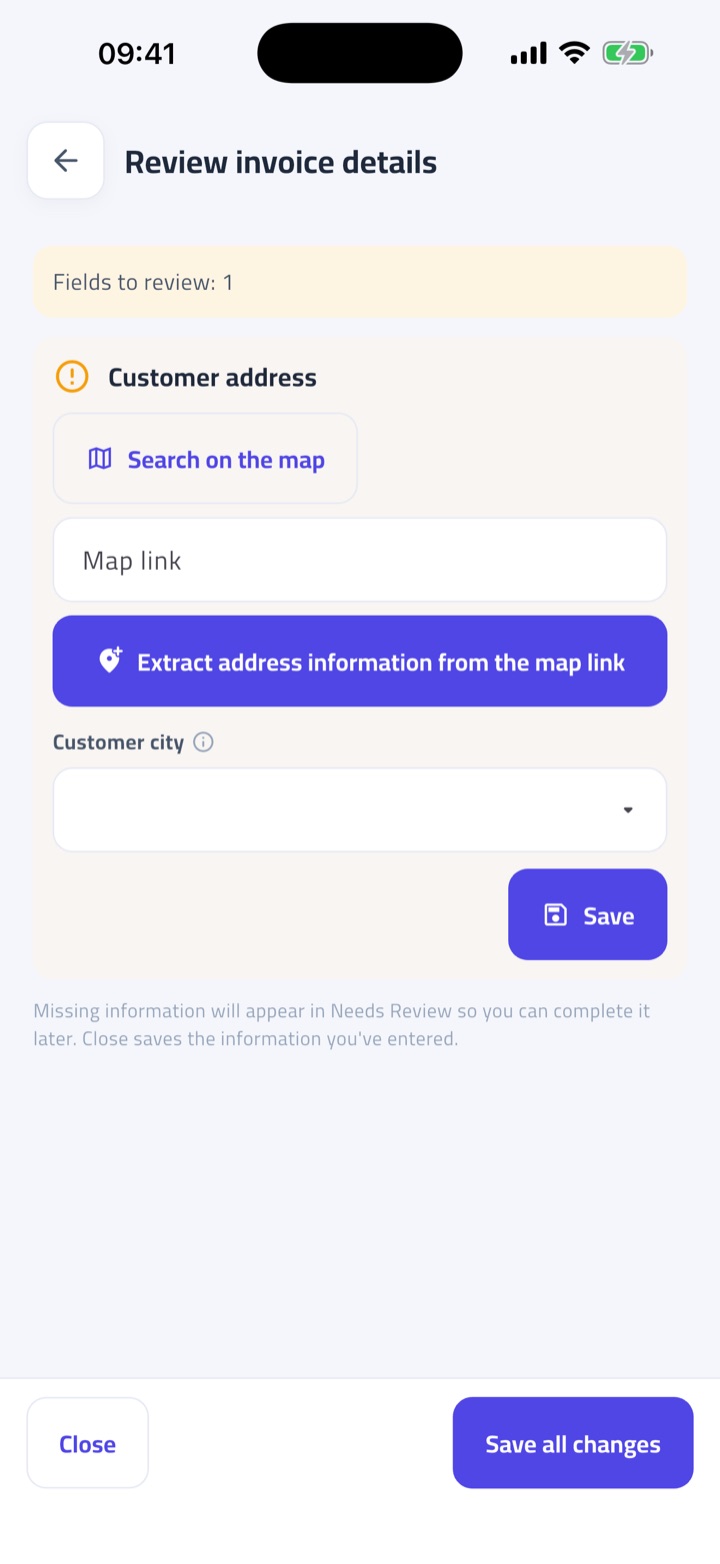
- Resolve an incomplete street, city or emirate before treating the record as ready. Reusing a customer record saves work only when the underlying details are correct.
In Fatura Sahla, review Business Information and the customer record before repeating corrections on every invoice. Business-details verification in the app is a separate control: it is not government accreditation of your business or certification of every transaction.
2. Check the sale, tax treatment and totals
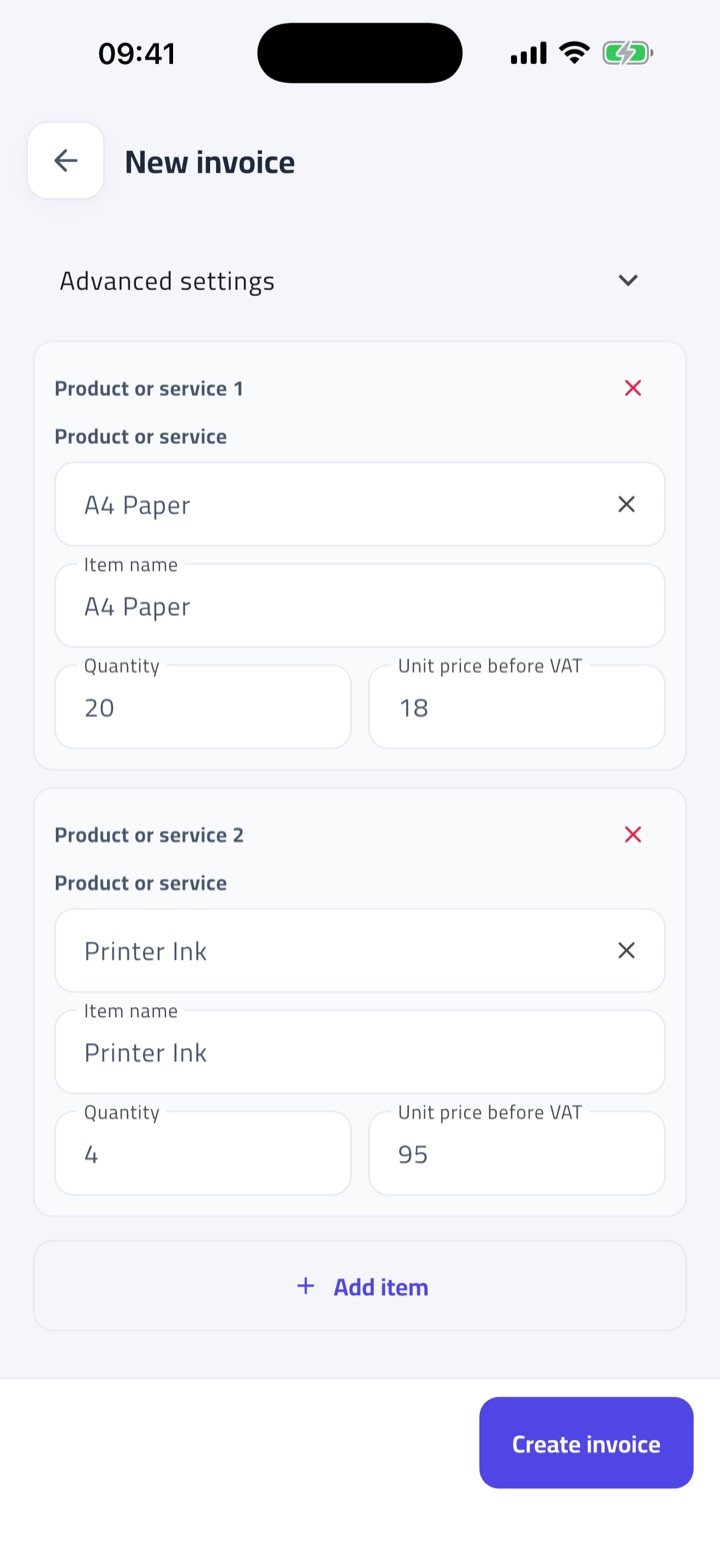
Read each line against the source document. Confirm the item description, quantity, unit price, discounts and the tax treatment that actually applies. Ask a qualified adviser about uncertain VAT classifications instead of selecting a rate merely because the total looks familiar. The invoice number, date, currency and document type should describe the same transaction as the supporting paperwork.
When a photo or spreadsheet supplies the starting data, compare the extracted result with the original. For example, a misplaced decimal or an item assigned to the wrong customer is a review problem even if every box contains a value. Correct data matters as much as complete data. For an adjustment, follow the credit-note workflow and keep the original invoice reference; do not casually overwrite an issued record.
3. Review payment information and unresolved checks
Select the real payment method and check any payment-account information that method requires. If a bank account is missing, confirm it with the responsible person rather than copying one from an unrelated invoice. Fatura Sahla stores the selected payment account on outbound invoices. Changing your business profile is not a substitute for checking the account recorded on an existing invoice.
Open the invoice review instructions and work through the named missing fields. Review later can preserve work after core details are complete, but a saved draft or a PDF is not evidence that every PINT-AE check has passed. Decide who owns the remaining corrections before the invoice is needed for handover.
4. Agree the handover with your provider
A PDF is for people to read; structured XML is for systems to process. Fatura Sahla can export PINT-AE XML for eligible completed documents, but it is not an Accredited Service Provider and does not transmit invoices to the Federal Tax Authority. Agree your provider's intake format, onboarding requirements, testing steps and rejection-handling process before relying on an export in production.
Ask how you will know that transmission and reporting succeeded, and who will investigate a rejected document. A downloaded XML file, an emailed PDF and an accepted network submission are different events. Keep the provider's confirmation separate from the app's readiness result so your team does not mistake one for the other.
5. Keep an evidence trail
Keep the source document, the reviewed record, any correction history and the provider's responses accessible to the people responsible for invoicing. Test that you can find an older invoice by its number rather than relying on one person's chat history. Agree retention responsibilities with your accountant and provider; using a service does not remove the business's own obligations.
Repeat this exercise for a different customer or payment method after the first example works. Treat the checklist as a repeatable preparation routine, not a one-time badge. The goal is to know what is missing and what happens next before a deadline or a customer's payment depends on it.
Questions before handover
Does completing this checklist prove compliance?
No. This is preparation guidance, not a compliance certificate. Your obligations depend on your circumstances, current rules and the work agreed with your Accredited Service Provider and tax adviser.
Can I start from a photo, spreadsheet or WhatsApp?
Yes. Fatura Sahla supports those input routes, including verified WhatsApp. Review the extracted details before using the record; the original photo or message is not a structured e-invoice.
Does exporting XML send the invoice to the FTA?
No. Export creates a file for an agreed handover process. Fatura Sahla does not operate the accredited transmission service or confirm acceptance by the FTA.
How Fatura Sahla helps
Use Fatura Sahla to collect invoice details, review missing information and export XML for eligible completed documents. Agree the next steps with your Accredited Service Provider; exporting a file does not transmit it.
We meet you where you are, and get you e-invoice-ready with near-zero overhead.
Your sales live in notebooks, spreadsheets and sales people in the field
Photograph the paper, import the sheet, or type it in. Every path ends in one complete record, checked in plain words.
A computer, a smartphone, a tablet, or a simple phone with WhatsApp
Works in the browser and on Android and iPhone. Send an invoice photo to WhatsApp and get the finished PDF back in the chat.
A team that reads English, Arabic, Urdu, Hindi, or a mix of them
The app, the WhatsApp replies and every check speak all four. Invoices print in English or Arabic, whatever the team uses.
Fatura Sahla helps you get ready. It is not an Accredited Service Provider and does not send invoices to the Federal Tax Authority. This article is general information, not tax advice.
Last reviewed September 19, 2026